1. Access the website via this link: https://www.helloklarity.com
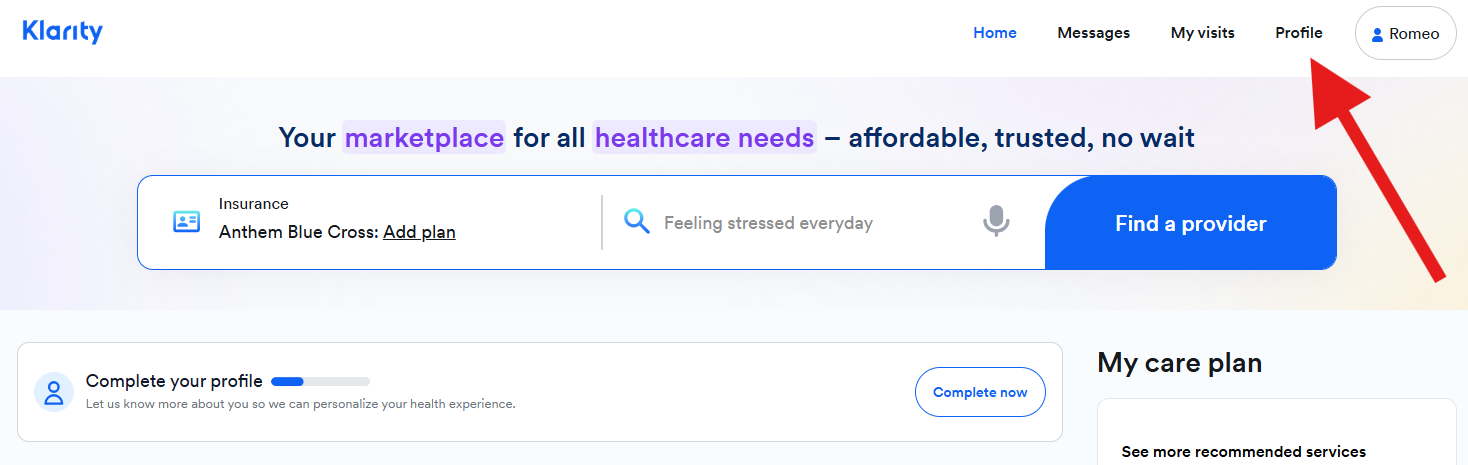
2. In the portal dashboard, click on Profile.
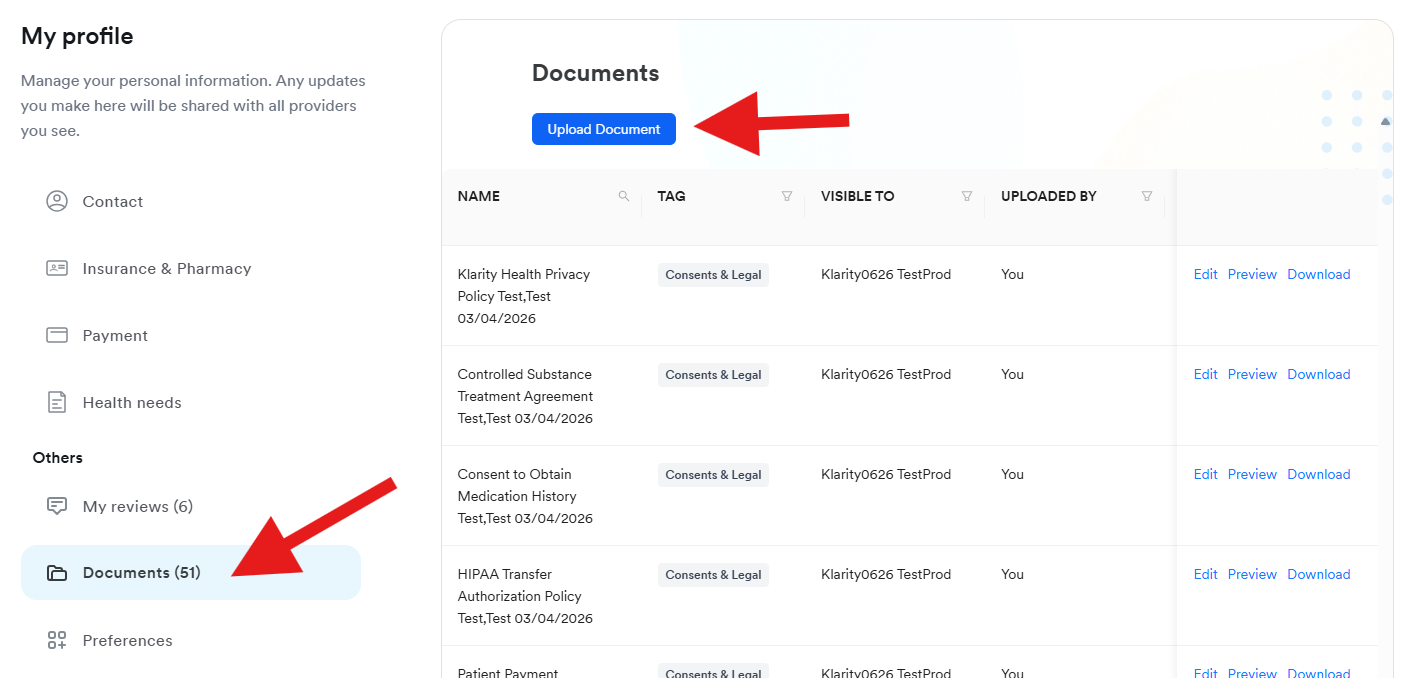
3 . In Profile, click on Documents, then Upload Document.
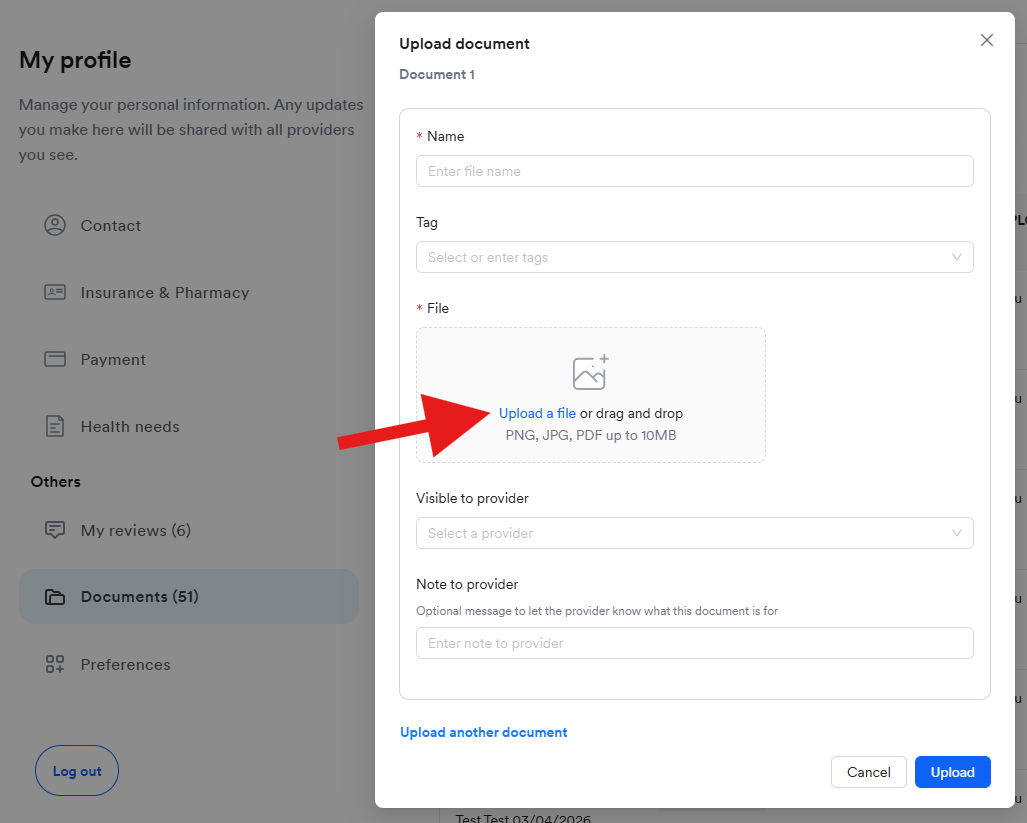
4. In the next window, you can proceed in updating the information of the documents you are uploading. You may update the following information:
- Document Name
- Document Tag
- Visibility to provider
- Add notes to the provider.
After updating the information, click on Upload a file to access the document you want to upload.
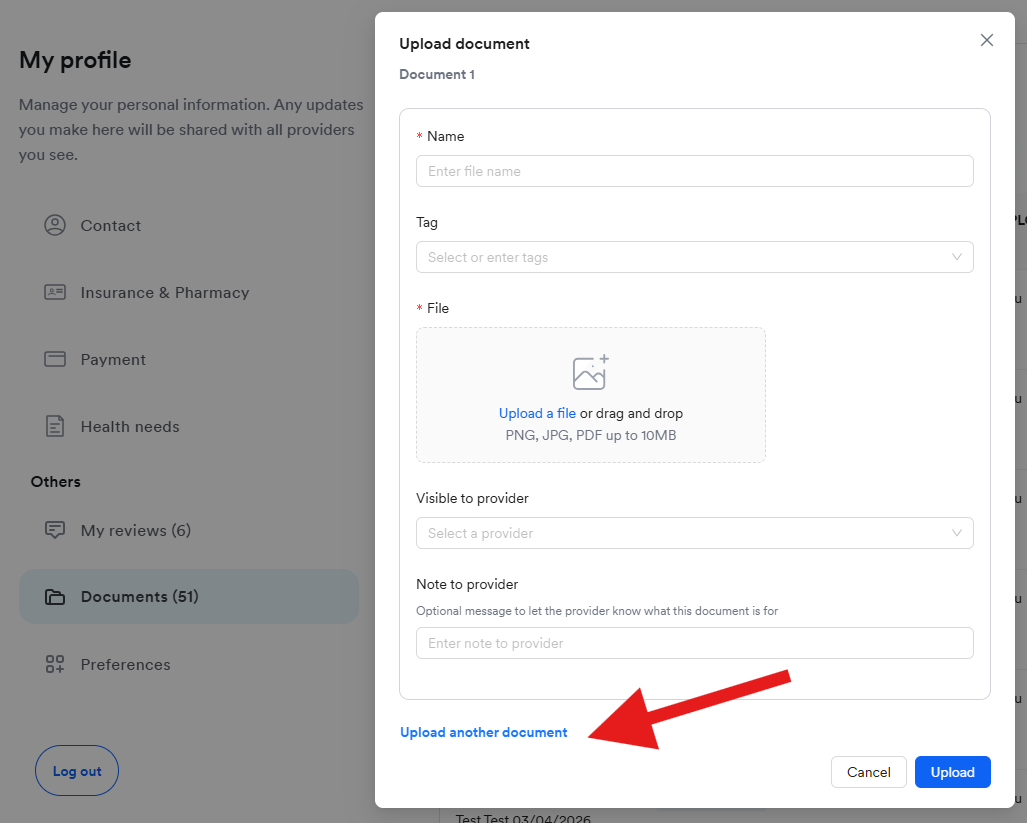
5. You may uploaded multiple documents by clicking on Upload another document.