
1. Access the website via this link: https://www.helloklarity.com
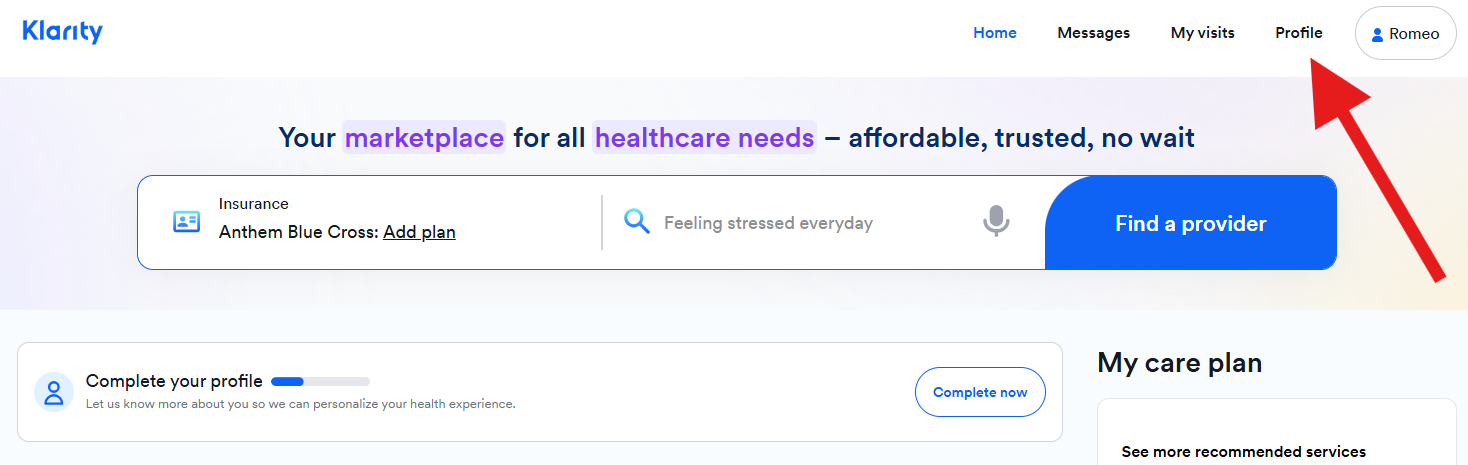
2. In the portal dashboard, click on Profile.
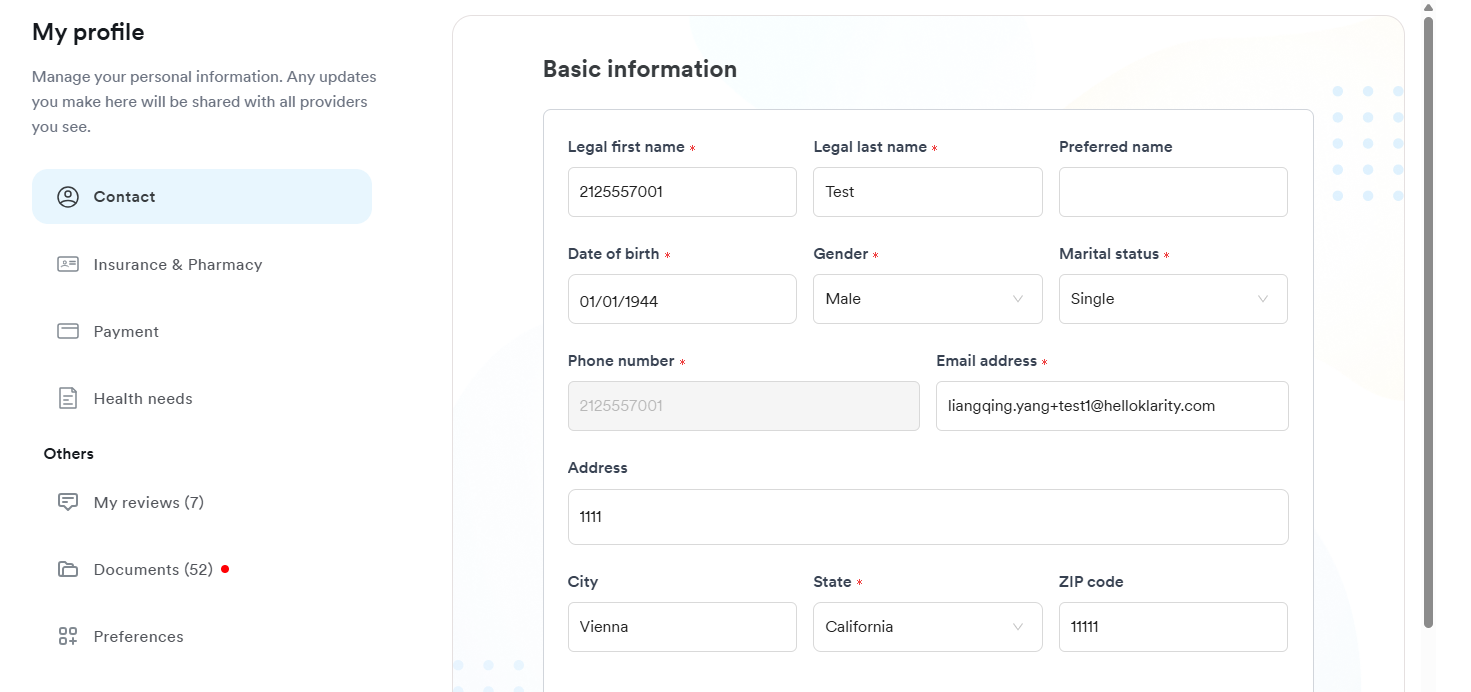
 3 . In Profile, you may update the following information:
- Contact
- Full name
- Date of Birth
- Gender
- Marital Status
- Email Address
- Home Address
- Insurance and Pharmacy
- Full name
- Insurance carrier
- Insurance plan
- Member ID
- Group ID
- Payment
- Payment methods
- Health Needs
- Conditions managed
- Current medications
- Allergies
4 . Don't forget to hit Save to ensure that the updated information will be saved on your account.
Note: Phone number change can only be done by emailing Patient Support (patientsupport@helloklarity.com) and verifying your identity.