1. Access the website via this link: https://www.helloklarity.com
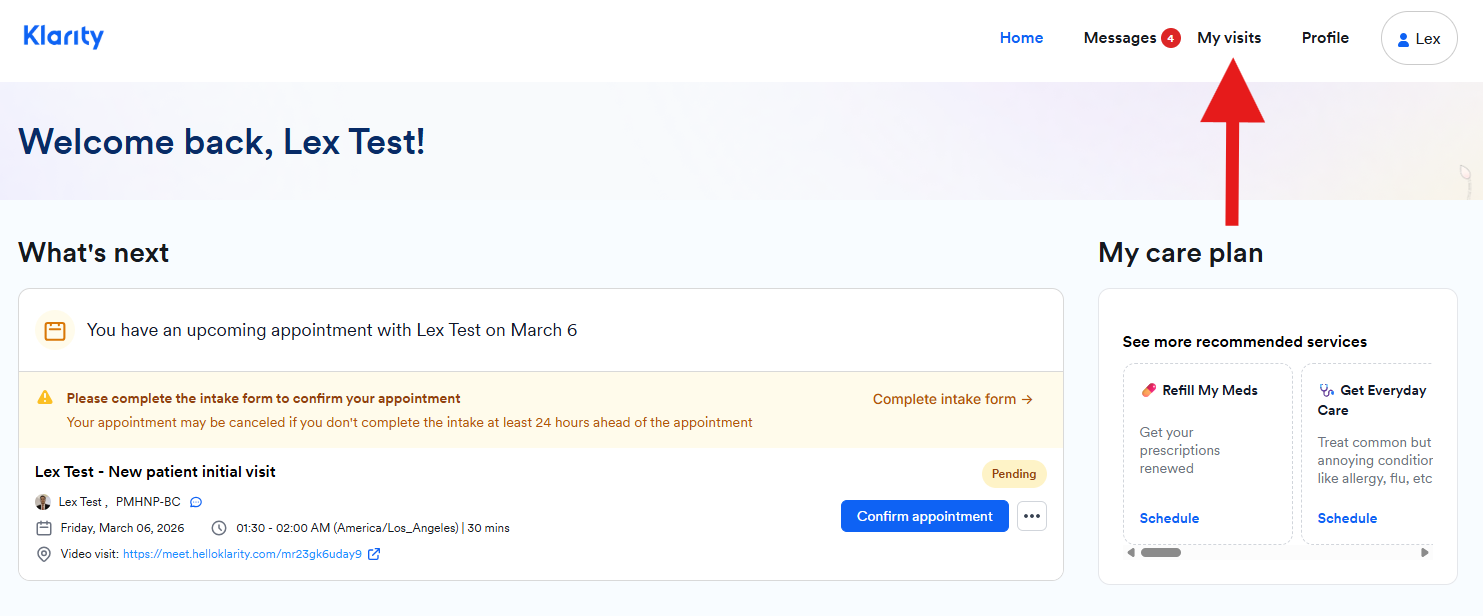
2. In the portal dashboard, click on My visits.
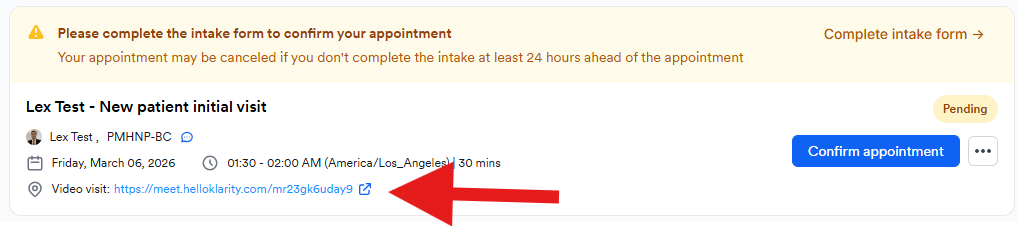
3. In the My visit section, you will see the upcoming appointment. Click on the Video visit link.
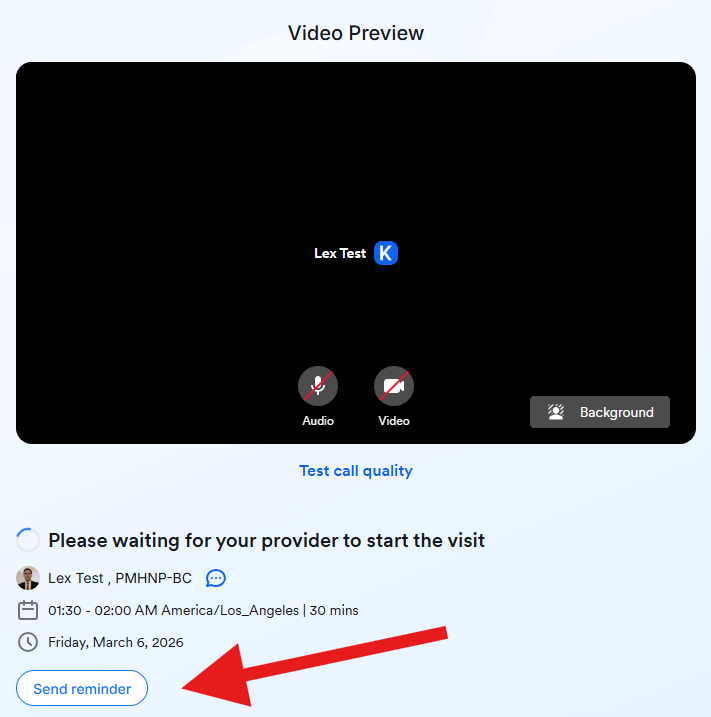
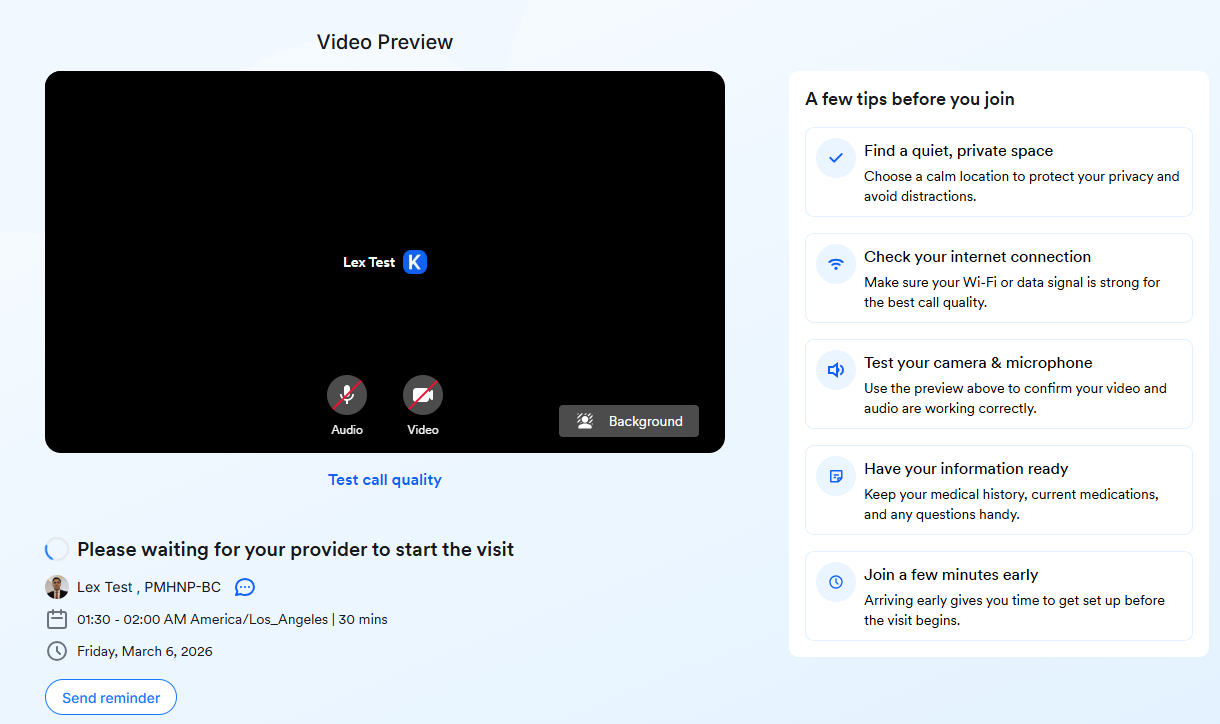
4. A new page will be opened for your video visit.
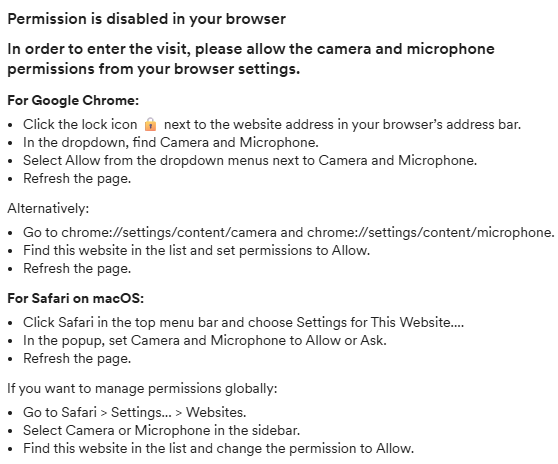
Note: Please ensure that all permissions related to your video visit (camera and microphone) are enabled in your browser. If the permissions are disabled, you will receive the following reminder:
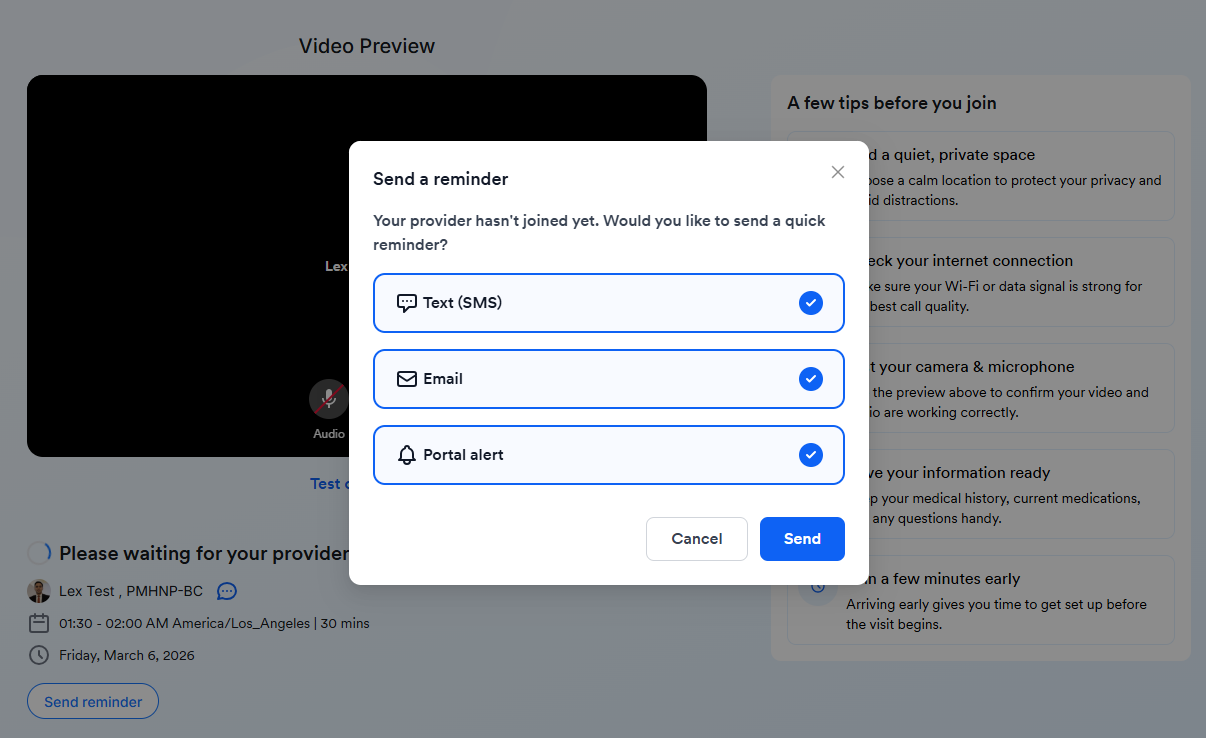
5. Wait for the provider to join the call. If they have not joined yet, you may click on the Send reminder button.