
1. Access the website via this link: https://www.helloklarity.com
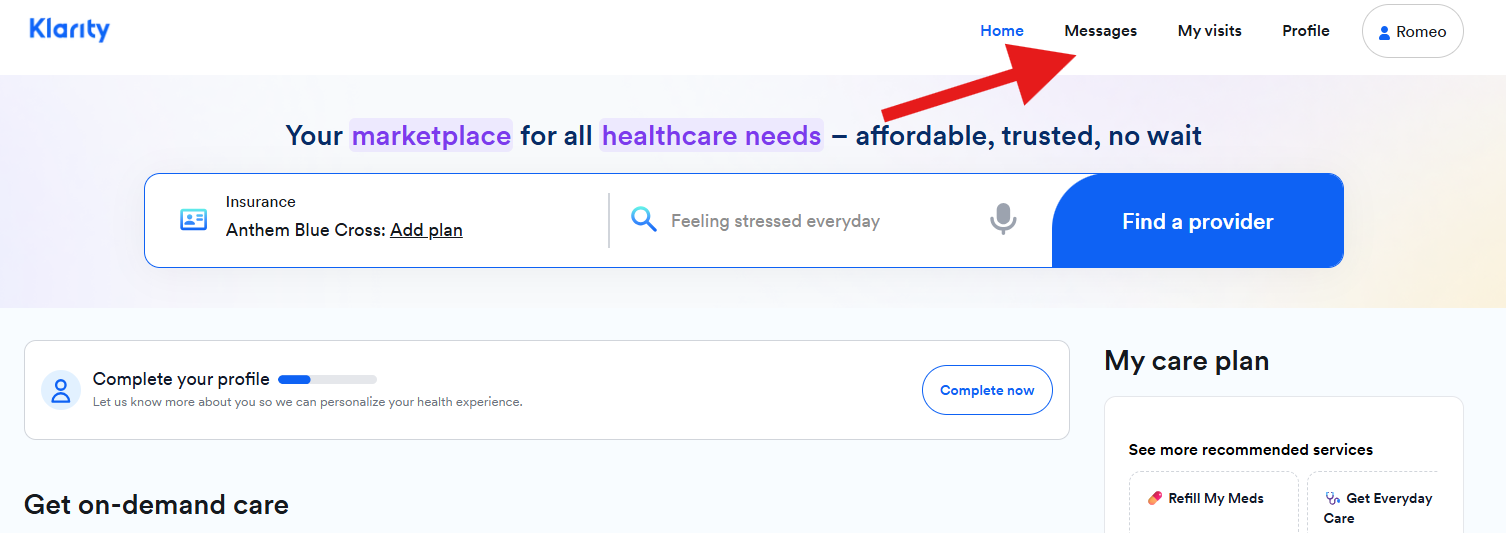
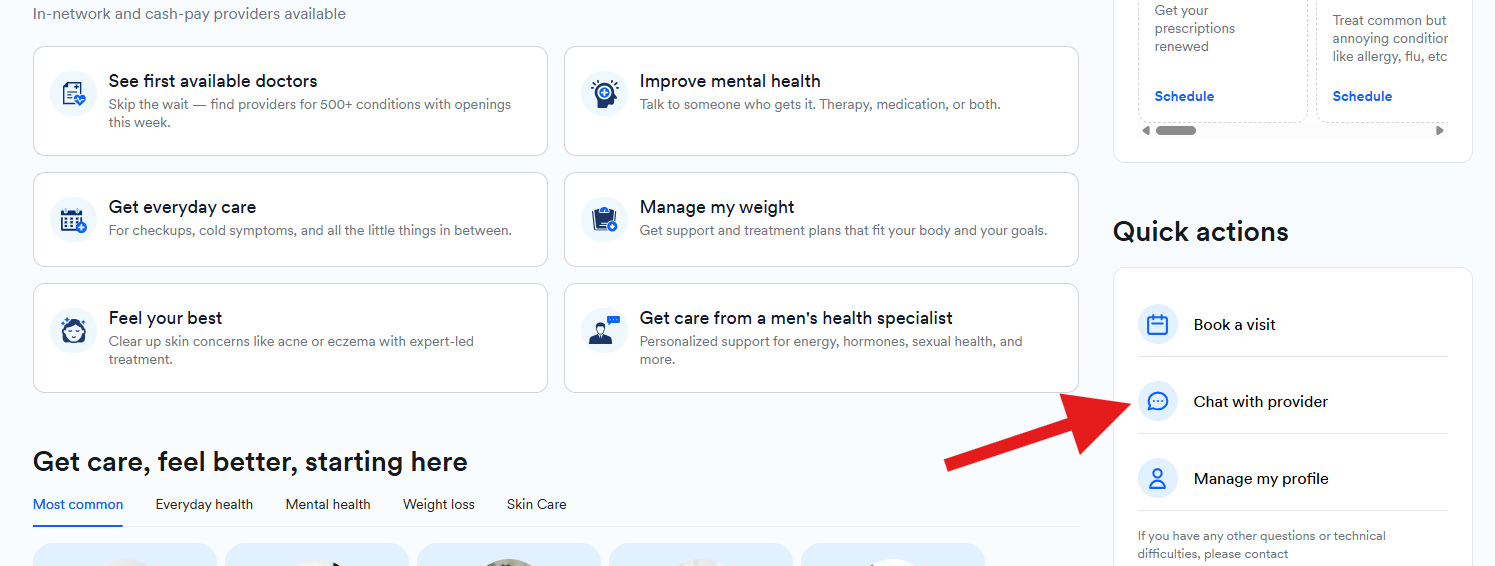
2. In the portal dashboard, you may either click on Messages or Chat with provider. Both options will route you to the Message page.
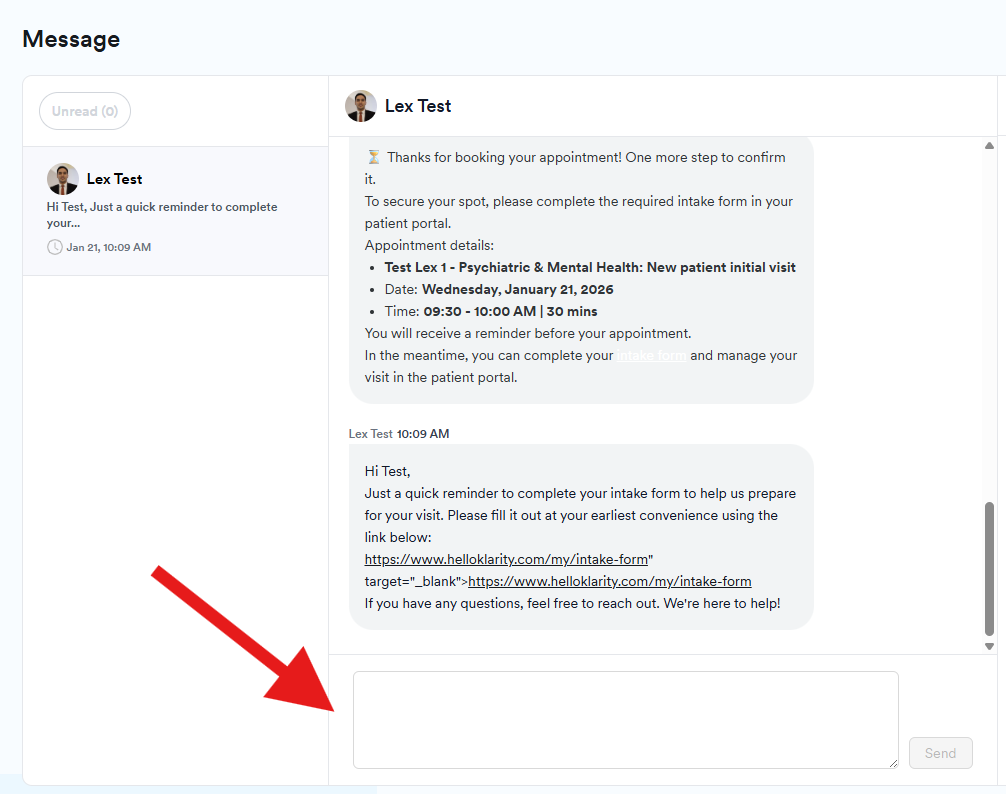
3. In the Message page, you can view your open messages. You may send new messages in your existing conversation with your provider.
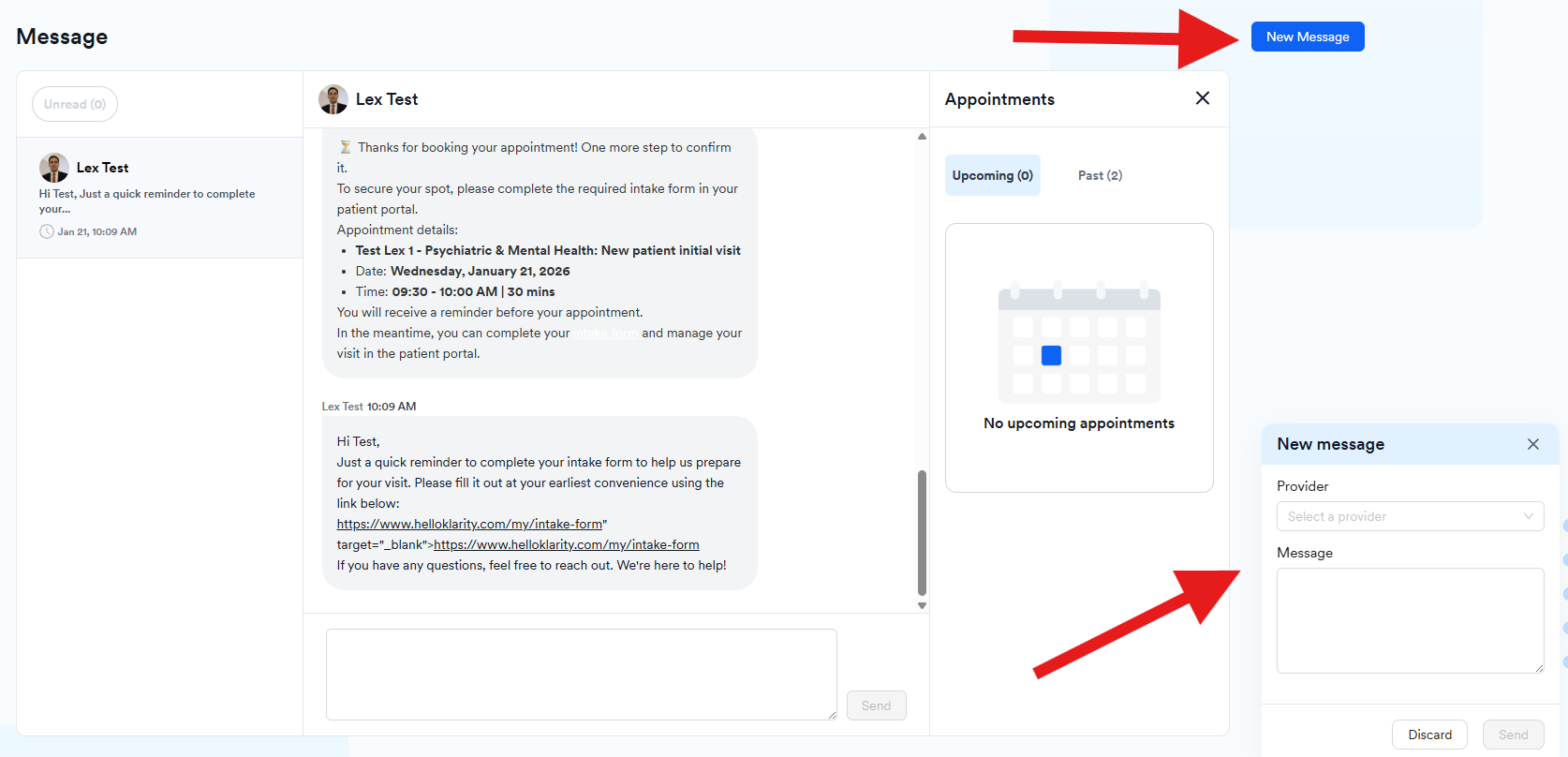
4. You may also start a new message with your provider by clicking the New Message button.
Please be advised to allow 72 hours for your provider to check the patient's messages and reply to them. If you do not hear from them within 72 hours, please reach out to our customer support team patientsupport@helloklarity.com for further assistance.